
Answer patient calls. Keep your team in control.
Coordina handles incoming calls and appointment follow-up, connects with Open Dental, and gives your team a clear record of every conversation.
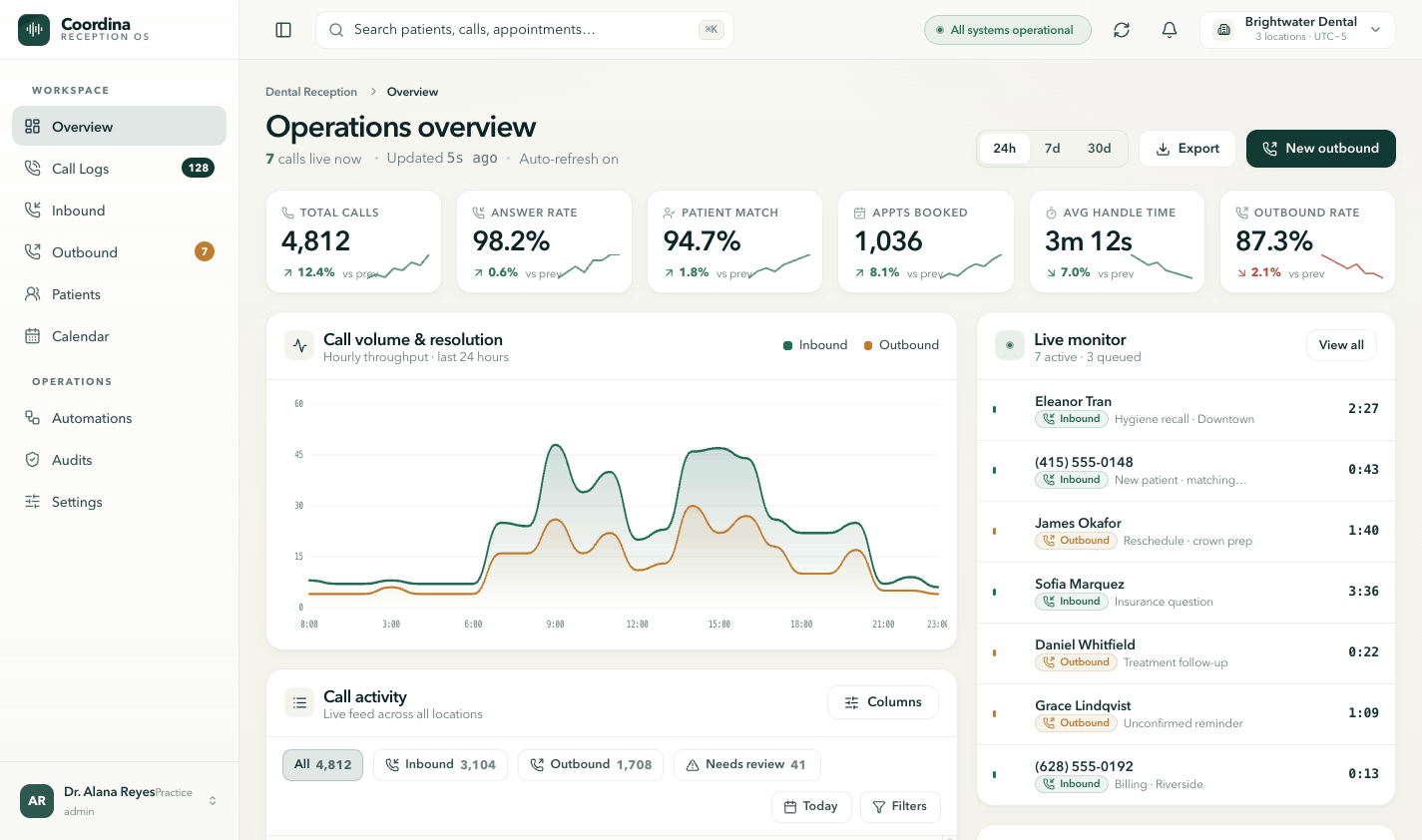
A clear next step for every conversation.
When the front desk is busy, calls still need attention. Coordina handles patient inquiries and appointment requests through workflows configured for your practice.
Your staff can review the conversation and decide what needs a personal follow-up.
See how setup works →- A patient calls
They want to move an upcoming appointment.
- Coordina handles the request
The call follows the appointment workflow configured for the practice.
- Your team can review the conversation
Staff can check the call record and follow up where needed.
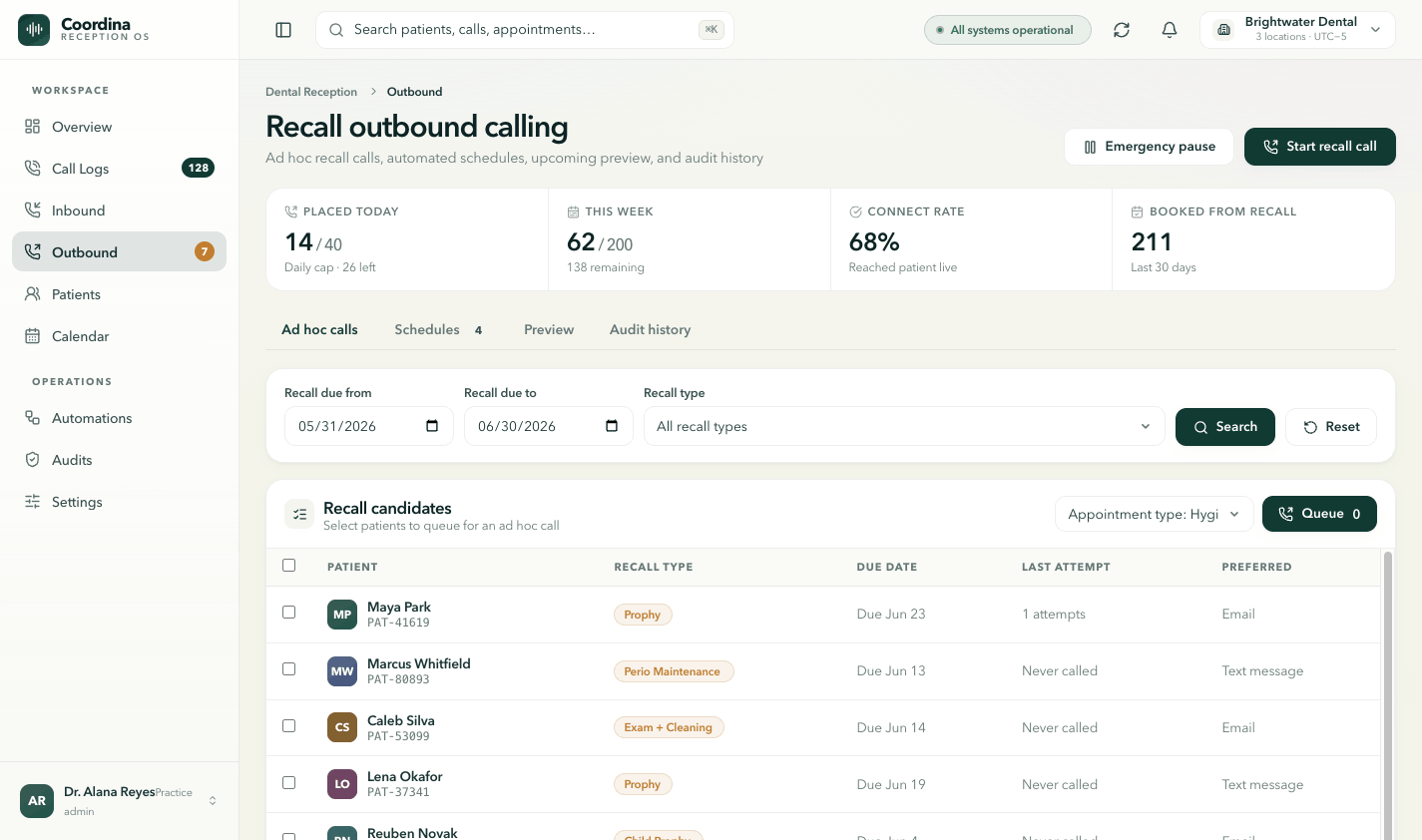
Give recall work a place in the day.
Organize outbound appointment follow-up without another disconnected list. Set calling windows and attempt limits, then review outcomes in the same workspace.
Explore appointment follow-up →Start with the systems you use.
Coordina connects with Open Dental. Review your integration and phone requirements with us before deciding how to introduce automation.
Review the integration →Make security part of the conversation.
Understand how access, patient data, and service providers fit into your practice requirements. Review our published policies and bring your questions.
Read about security →Questions from your team.
Incoming patient calls, appointment requests, and outbound appointment follow-up. Your team can review call records and outcomes in the practice workspace.
Yes. The setup includes reviewing your Open Dental connection and the appointment workflows you want to support. Bring your practice configuration to the demo so we can discuss the requirements.
We will review your current phone provider, number, and routing during the demo. The right setup depends on your existing service and the call coverage you want.
We review the connection, configure the calling rules, and test sample workflows with your team. Timing depends on your integration, phone setup, and review requirements.
Request a demo and include your number of locations and the workflows you want to explore. We can discuss the scope and pricing with that context.
See how it fits your practice.
Walk through the product, discuss your phone setup, and bring the questions your team needs answered.