
Patient calls and follow-up. One shared workspace.
Handle the conversation, review the outcome, and keep the next step visible to your practice team.
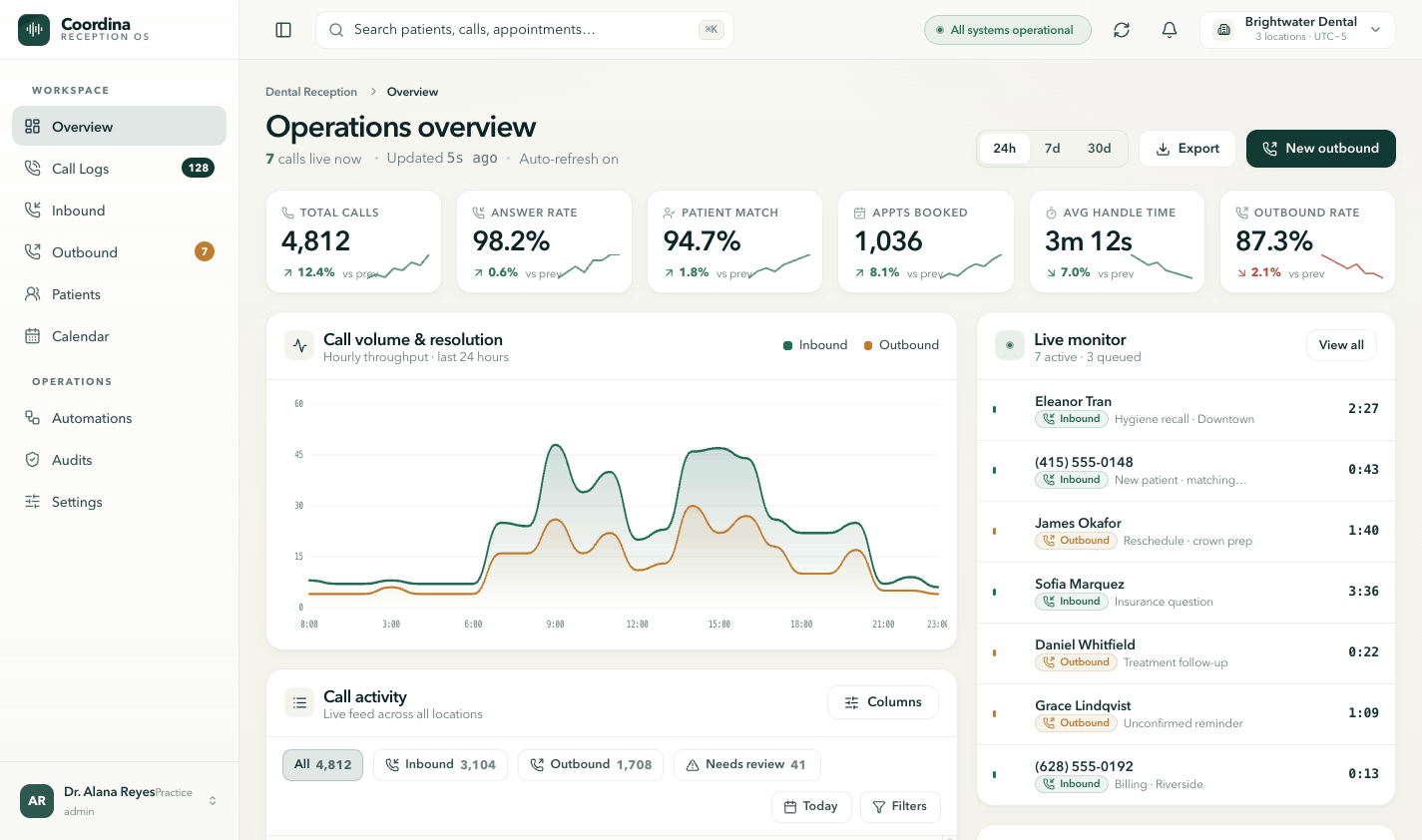
See the work behind each call.
The overview brings practice activity and call outcomes together. Move from the daily picture to the conversations your team needs to review.
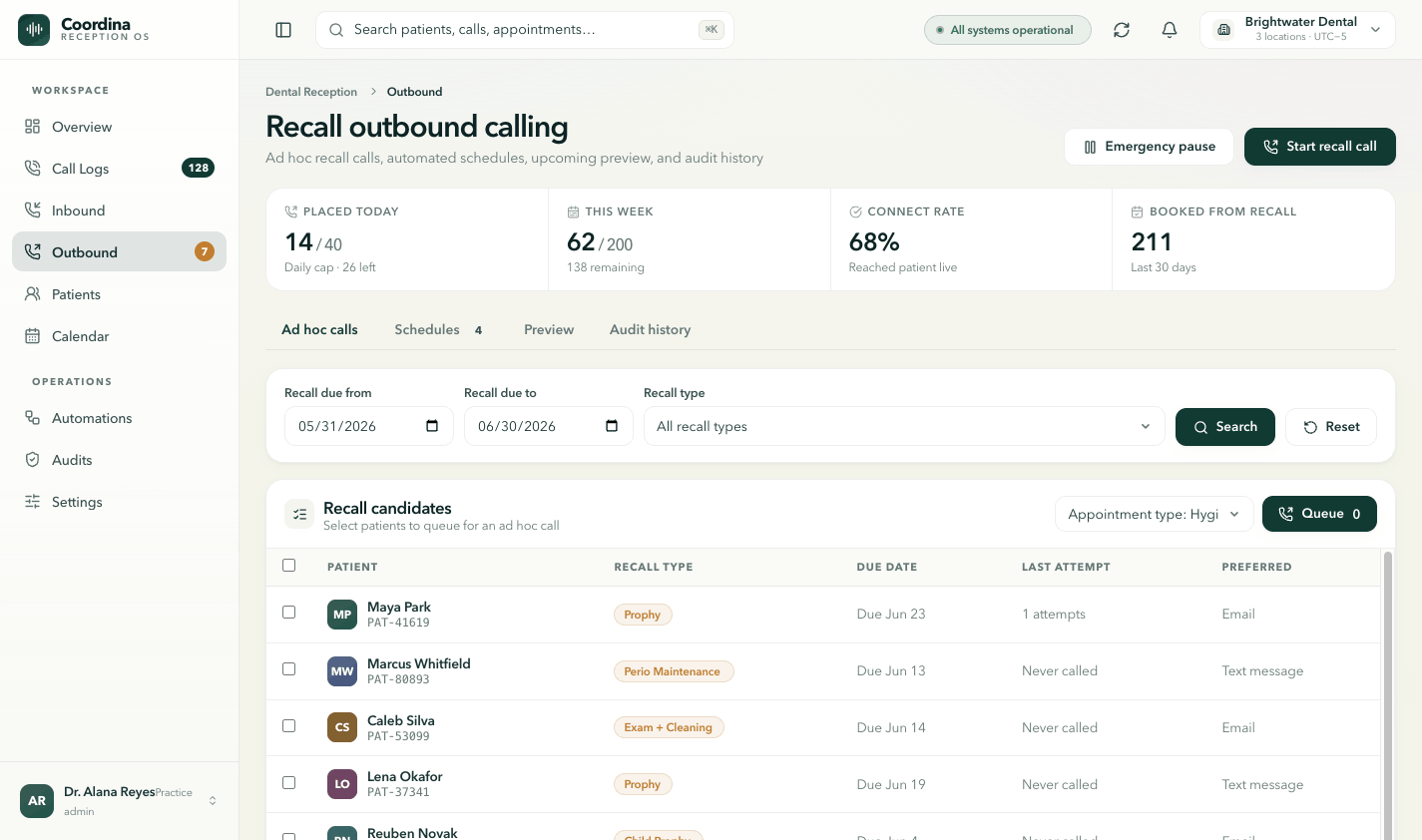
Follow up with a defined set of rules.
Bring appointment follow-up into an organized workflow. Configure calling windows and attempt limits, review activity, and see which patients need another step.
- Review outbound call activity and outcomes.
- Keep calling rules visible to the practice team.
- Use conversation records to guide staff follow-up.
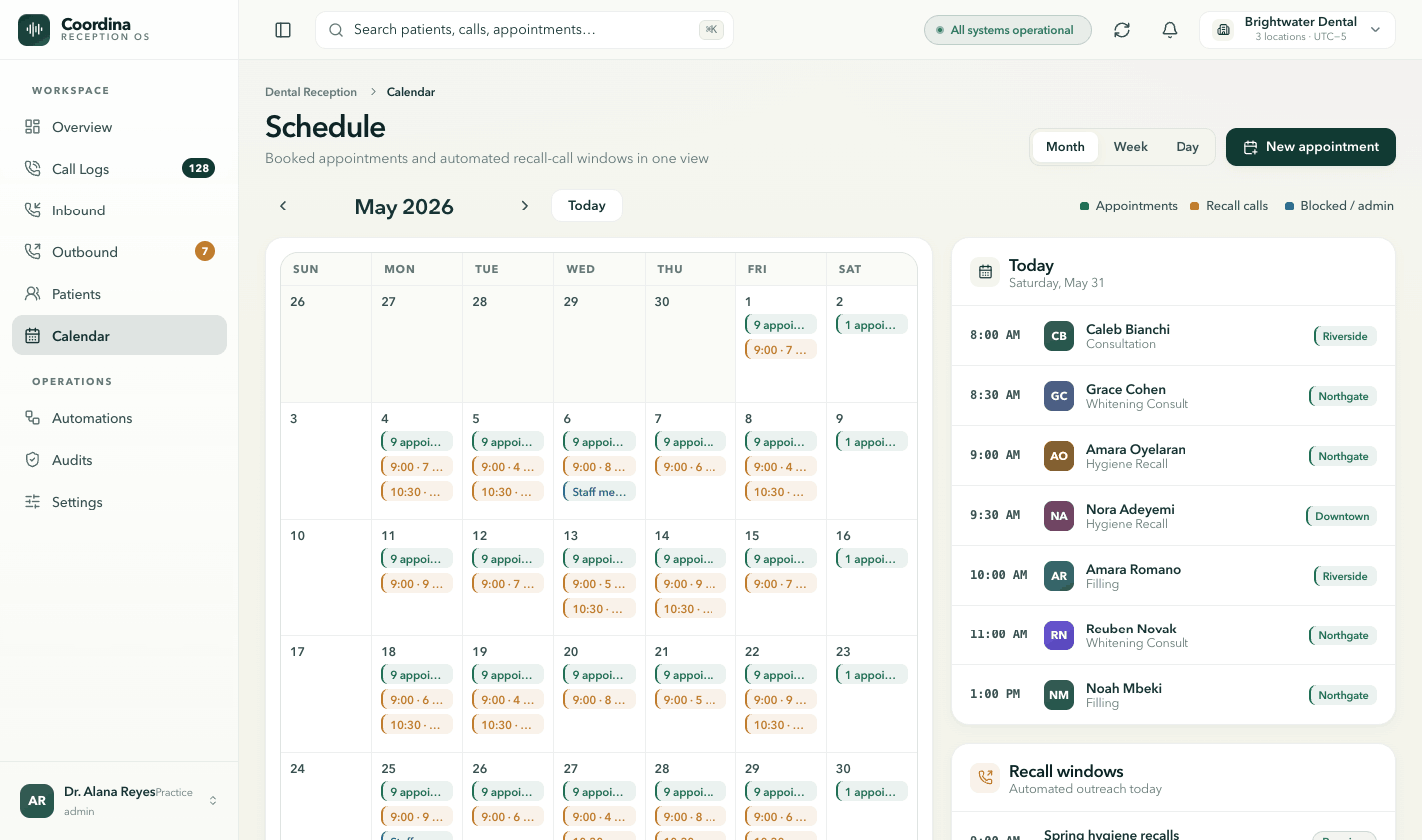
Keep appointments in the picture.
Review scheduling activity alongside the call workflow. Configure the appointment requests your practice wants Coordina to handle, and check the process with your team before launch.
A connection with a clear purpose.
Review the systems involved before deciding on your setup.
Open Dental · practice connection
Connect the practice management system used for patient and appointment workflows. Setup requires a review of your Open Dental environment and the access needed for the agreed workflows.
Voice services · call infrastructure
Coordina uses voice service infrastructure, including Retell, to support calls. These services play a different role from your practice management connection. We will review phone routing and provider requirements with you.
Set it up around your practice.
Start with the workflows you need. Confirm the rules and test them together before enabling calls.
Connect your practice
Review your Open Dental connection, phone setup, and the locations you want to include.
Set the rules
Agree on call windows, appointment workflows, and when your team should take over.
Test together
Walk through sample calls and check the results with your practice team.
Launch and review
Enable the agreed workflows, then review call outcomes and adjust the setup.
Details to work through together.
Your practice management system, current phone provider, number of locations, and the incoming or outbound workflows you want to explore. No patient information is needed for a product demo.
Your team helps define the workflows and calling rules before launch, then reviews call records and outcomes in the workspace. Discuss the situations that should involve a staff member during setup.
Yes. Review the published security and privacy information, then contact us with questions about access, patient data, service providers, or the Business Associate Agreement.
See how it fits your practice.
Walk through the product, discuss your phone setup, and bring the questions your team needs answered.